Cryosparc-cluster
Example
To start Cryosparc, first you need to have a license ID. You need a license ID for every unique instance of Cryosparc you start.
You don't need multiple license ID's if you only have one Cryosparc session running at a time. To obtain a license ID, go to Cryosparc
Go to Open OnDemand
-
Enter your License ID in the License ID box.
-
Choose number of hours - it must be long enough for all the Cryosparc jobs to finish
-
Choose number of CPU cores - 8 is a good start
-
Choose RAM - 64 is a good start
-
Then press Launch
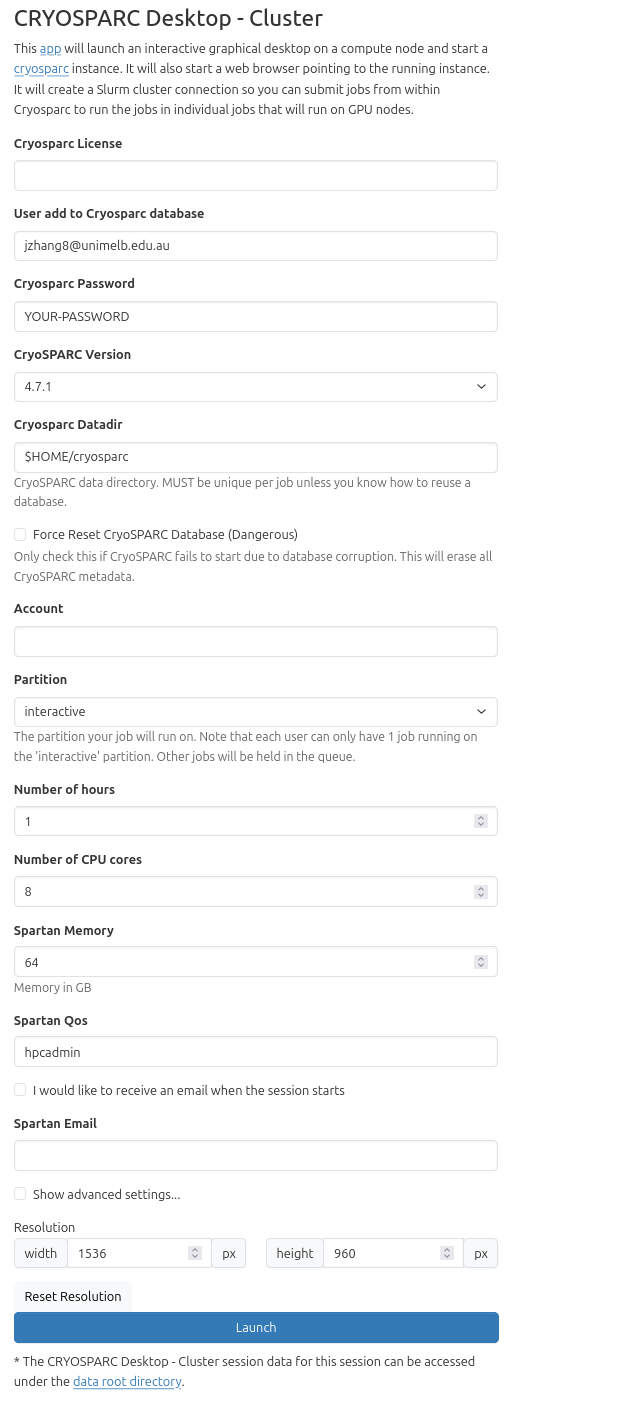
A Cryosparc master and worker will be launched at the same time. They will run in the same session and on the same node.
You will see a blank Linux desktop.
-
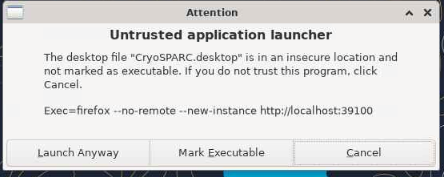
Double click CryoSPARC icon from the Desktop
-
Click Launch Anyway
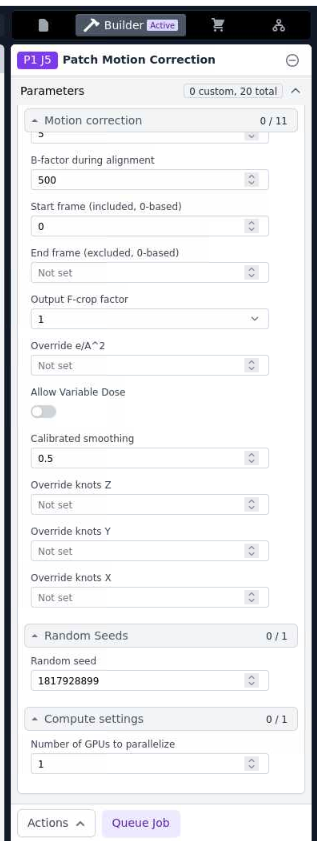
- Use the email address and password you set to login
- In Cryosparc, click Queue Job in Patch Motion Correction
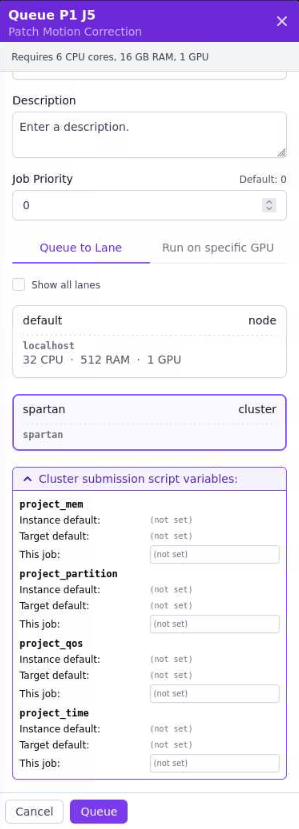
- Then, select spartan and fill project_mem, project_partition, project_qos and project_time, then click Queue
Please follow the guide to Mounting Mediaflux
Run the following command to reload Apptainer image:
module load foss/2022a

module load Apptainer/1.1.8

export CRYOSPARC_MASTER_PATH=/app/cryosparc_master

export CRYOSPARC_WORKER_PATH=/app/cryosparc_worker

export CRYOSPARC_DATADIR=$HOME/cryosparc

export CRYOSPARC_LICENSE_ID=YOUR_LICENSE_ID

apptainer instance start -B /apps,/data,/tmp,/tmp/run:/run,$CRYOSPARC_DATADIR/config.sh:$CRYOSPARC_MASTER_PATH/config.sh,$CRYOSPARC_DATADIR/run:$CRYOSPARC_MASTER_PATH/run,$CRYOSPARC_DATADIR/config.sh:$CRYOSPARC_WORKER_PATH/config.sh --nv /apps/singularity_images/Cryosparc/cryosparc-4.4.1-rhel9.img cryosparc

apptainer exec instance://cryosparc /cryosparc.sh
Open firefox browse to localhost:39000
Once you finish, remember to stop the Apptainer by running the command: